Put the feedback widget on the page being reviewed
The website feedback widget gives identified clients and testers a way to select an element, explain the problem and follow the conversation without leaving the interface.
14-day trial on a paid web plan. No card required.
- Integration
- Project settings → Installation
- Origin
- The exact staging or production origin
- Identity
- A host-app user, signed by your server
- Report
- Element + note + permitted attachments
- Review
- Replies and fix checks on the original page
Install for the people reviewing your website
Create a project and register the origins where the widget will run. Use Project settings → Installation for the installation instructions and project values. The repository includes JavaScript, React, server, Phoenix and Rails integration packages, plus the WordPress plugin.
The integration supplies an identified reporter. For a signed-identity project, generate the signature on your server and keep the signing key there. A public project key is not a replacement for reporter identity or authorization.
Collect the note where the problem appears
The reporter opens Tuix, selects the relevant element and writes a note. Tuix stores several ways to find that element again, alongside its page address. If a redesign removes the element, locating it may no longer be possible; the report remains useful evidence of the original problem.
A screenshot can make visual defects clear. Browser context and available diagnostics help developers investigate. The widget lets the reporter inspect attachments before sending, including removing the screenshot.
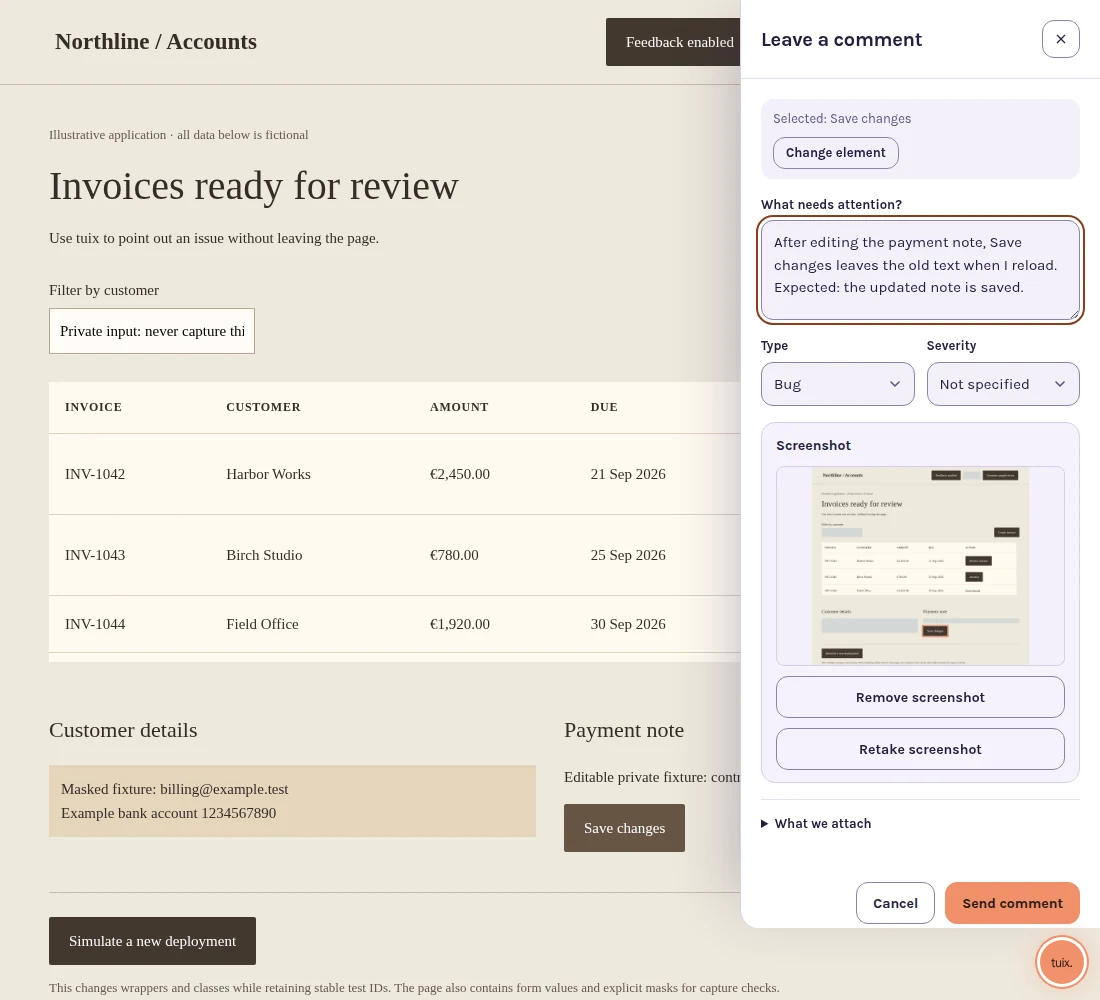
Choose what leaves the page
Project capture settings control screenshots, console entries and failed network requests. Add data-tuix-mask to sensitive elements that should be blanked in screenshots. Form fields and editable content are masked by the screenshot implementation. Test masking on your own interface before inviting reporters.
Failed-request capture records metadata rather than bodies or headers. It is bounded capture for a feedback session, not continuous monitoring or session replay. The privacy overview explains the service's data handling.
A lightweight entry point, a full reporting workflow
The loader defers the reporting runtime until interaction. Actual cost depends on your page and capture settings, so test your installation on the devices your reviewers use. The public homepage has an interactive practice demonstration you can explore before installing.
For a full report-to-fix example, see visual bug reporting. Check pricing for hosted-project access and local developer restrictions.
Give reviewers a place to point.
Connect the widget to your site’s reporter identity, choose what it captures and try one report on a real page element.