Report bugs on staging. Verify fixes on the page.
Give a developer the environment, the component and the observed behavior in one report. Return to that report when the changed build is ready to test.
14-day trial on a paid web plan. No card required.
- Defect
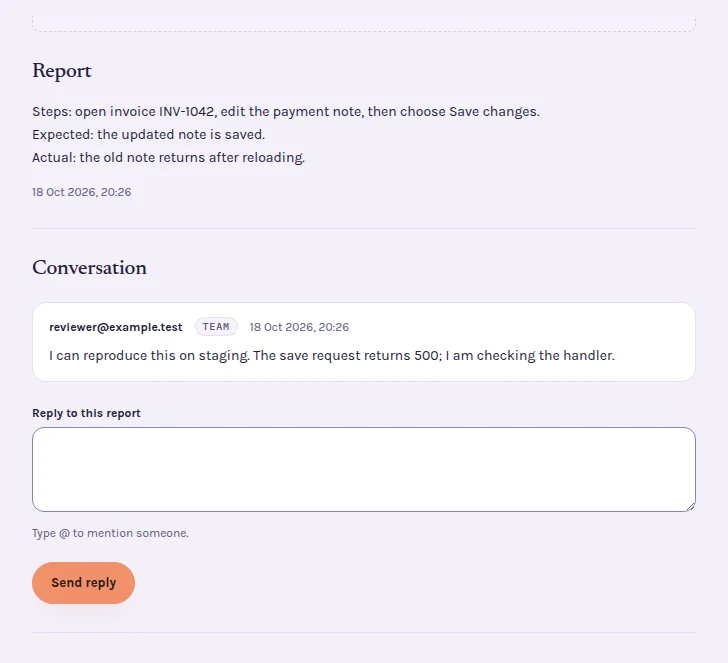
- Save changes leaves the old payment note.
- Reproduction
- Open invoice INV-1042, edit the payment note, press Save changes.
- Context
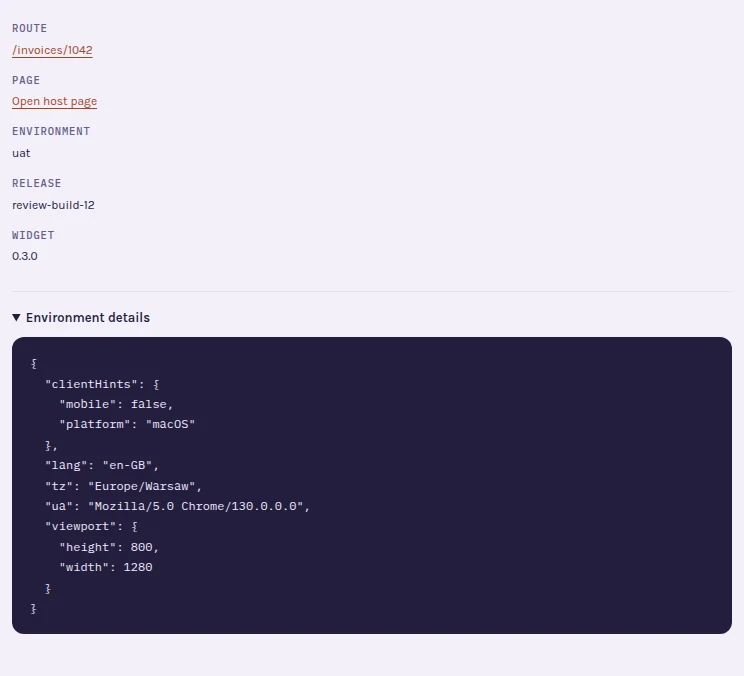
- uat · release supplied by the host integration · browser and viewport
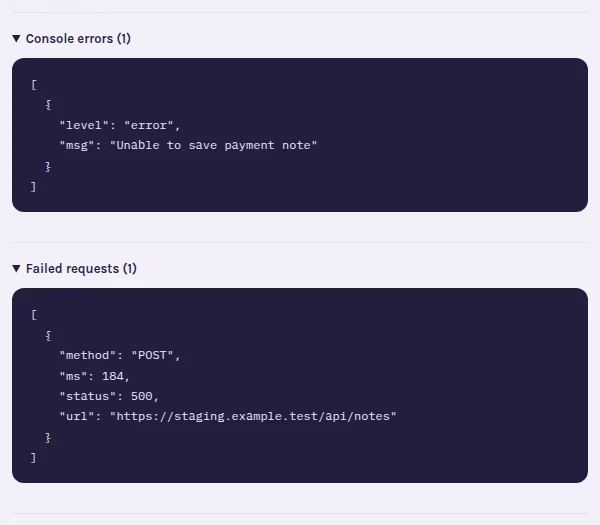
- Possible diagnostic
- POST /api/notes → 500
- Retest
- Reload the invoice after saving and confirm the value persists.
Report the state that makes a UI defect reproducible
A screenshot alone cannot describe an intermittent interaction. Include the starting state, test data that is safe to share, exact steps, expected result and actual result. Select the element in Tuix so the team can locate the component instead of guessing from an image.
The browser and viewport travel with the report. Environment and release information depend on your integration configuration; set them deliberately so a staging report does not get mistaken for a production defect.
Capture evidence during the test
Open the widget before reproducing the failure when you need console and failed-request context. Capture is bounded and subject to project controls; it is not session replay or a complete network trace. Review the screenshot and attached evidence before sending. Keep credentials and personal test data out of the description.
A request returning an error helps identify where investigation should begin. It does not establish whether the cause lies in the browser, API or test setup. Use the report's conversation to record the developer's findings and any missing reproduction steps.
Make the deployed fix ready for review
The team records the fix and the reporter checks the original page. Where release reporting is configured, the workflow can associate the change with a deployment. Otherwise, communicate explicitly which environment and build contain the fix before asking for a retest.
For the payment-note example, change the note on invoice INV-1042, choose Save changes and reload. Check both the visible note and persistence; a successful toast alone is not the acceptance criterion. If the defect remains, explain the failed check in the report instead of opening a disconnected conversation.
Use Tuix alongside your regression tests
Keep automated test cases in your test suite. Tuix provides reporting, conversations and fix verification; it does not run your regression suite or prove cross-browser compatibility. After a successful manual retest, consider adding a regression test that would fail on the old behavior.
Read the bug reporting guide for the evidence included in a report, or AI report access when a coding agent helps investigate.
Use the bug report template with screenshots and console logs when writing the starting state and reproduction steps.
Give developers the context they need to reproduce bugs.
Report the starting state and failed interaction on staging. Keep the diagnostic clues and the deployed-build retest together.