Discuss each report in Slack. Confirm the fix on the page.
Your team already talks in Slack. With the Tuix Slack app, each report from the page becomes one message in your channel. Updates and replies go into its thread, and a reply in the thread reaches the reporter on the page. Nobody copies messages between tools.
14-day trial on a paid web plan. No card required.
Setup requires a Tuix workspace and project. Create your workspace or open your projects.
- Message
- #42 The contact phone number is still the old one
- State
- Open · Unassigned · Fieldwork Studio, kept current
- Controls
- Open in tuix · Assign to me · Assign to… · Status · Triage…
- Thread
- Status changes, fixes, verification and replies
- Reply from Slack
- Reaches the reporter on the page
- Availability
- Team and Agency plans
One message per report
Each new report gets one message in the project's channel. The message shows the report's number, title, status, assignee and project, and it changes in place when the status or assignee changes. Your channel stays a readable list of open work instead of a stream of alerts.
Everything that happens to the report goes into that message's thread: status changes, a recorded fix, readiness for verification, the reporter's confirmation and every reply, with the author's name.
What your channel receives
For a client's contact-number correction, the message contains this text:
#42 The contact phone number is still the old one
Open · Unassigned · Fieldwork Studio
Below it are Open in tuix, which links to the report with its screenshot and diagnostics, Assign to me, an Assign to… menu of your Slack people, a Status menu and Triage…, a form for the status, the assignee and a note to the reporter. Each control has the same rights as in Tuix: a project admin assigns anyone, others take a report for themselves. This is the content Tuix sends, not a screenshot of Slack; Slack controls how it appears. Link and media unfurling are off.
Reply in Slack, and the reporter sees it on the page
When a teammate replies in the thread, the reply becomes a Tuix reply on the report. The reporter sees it on the page where they left the note, and they confirm the fix there. A reply written in Tuix appears in the thread once.
Tuix knows your teammates by email address: a member of your Slack workspace whose Slack email is the confirmed address of a Tuix account in the team acts as that account, and is told so once, privately. When someone is assigned or mentioned in Tuix, Slack tells them too. A teammate whose Slack email differs links their account once by signing in with Slack. A reply from an account Tuix does not know does not reach the reporter.
Work from Slack
The Tuix app's Home tab in Slack lists the reports assigned to you and the open ones nobody has taken yet, with the same controls as the messages. On paid Slack plans, Tuix also keeps a Slack List of the project's reports, which you can show as a board grouped by status; Tuix updates it as the reports change.
What stays in Tuix
Slack receives report titles, replies and the names of the people who wrote them. To match people, Tuix reads the email addresses of your Slack workspace's members; it keeps only which Slack account is which Tuix account. Screenshots, console errors, failed requests and the report text stay in Tuix. Joining the channel does not give anyone access to the project; opening a report still needs Tuix access.
When a reporter's data is erased, Tuix deletes the messages it posted for their reports in Slack too.
Connect a project to a channel
A project admin presses Add to Slack in the project's Slack settings and picks the channel in Slack. Tuix joins a public channel itself; in a private channel, type /invite @tuix. Slack updates are on Team and Agency. Solo and the free developer plan do not include them. The plan comparison shows the current prices and limits.
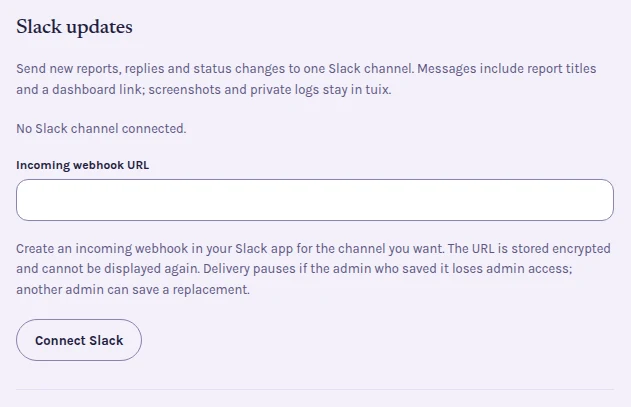
If your workspace does not allow new apps, you can paste an incoming webhook instead. A webhook posts a new message for each event, and replies in Slack do not come back to Tuix.
For an agency, a client leaves a note on staging, the team discusses it in the thread, and the client sees the developer's reply on the website, as described in the agency workflow.
Keep the conversation where your team already is.
Install the Slack app on a project, pick a channel, and the next report arrives there. Available on Team and Agency.